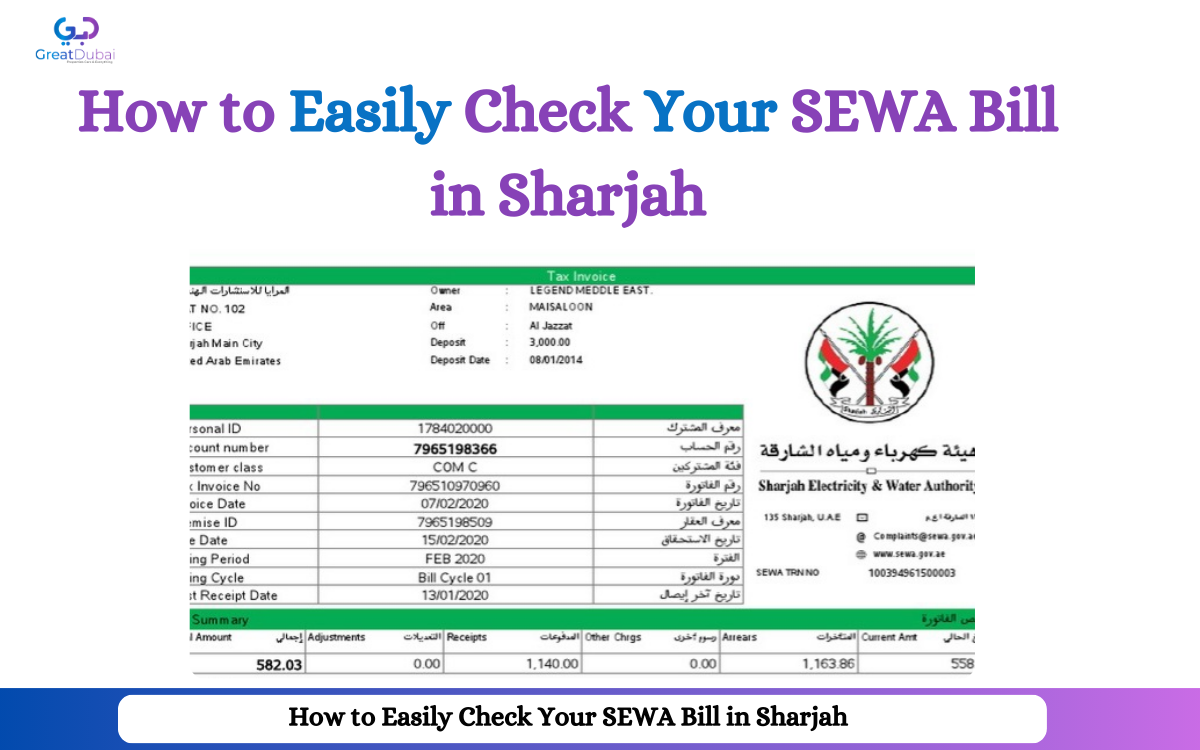
How to Easily Check Your SEWA Bill in Sharjah
Sewa Bill Check
To every resident of Sharjah, SEWA offers a wide range of utility services like electricity, water, and gas. Moreover, these services play a vital role in our lives. Whether it's your electricity or gas bill in this city, Sharjah Electricity and Water Authority (SEWA) wants timely payment to avoid hassle. Furthermore, SEWA allows you to check your bills smoothly from home (online) and also at physical centers (offline). To make payments for electricity and water bills, this platform offers different reliable methods like websites, mobile apps, and more. In this detailed blog, we will discuss the methods to check the Sewa Bill in Sharjah to ensure timely payments.
Methods to Check Sewa Bill in Sharjah
|
Method |
Cost (AED) |
Processing Time |
Details |
|
SEWA Online Portal |
Free |
Instant (1-2 minutes) |
Accessible via the SEWA website; requires internet access. |
|
SEWA Mobile App |
Free |
Instant (1-2 minutes) |
Available on Android and iOS; requires internet access. |
|
SMS Inquiry |
Standard SMS Charges Apply |
1-3 minutes |
SMS charges depend on your mobile provider’s rates. |
|
SEWA Customer Care |
Free |
5-10 minutes (depending on queue) |
Toll-free number (991) within Sharjah. |
|
SEWA Kiosks |
Free |
Instant (1-2 minutes) |
Self-service kiosks available across Sharjah; no service fees for inquiries. |
SEWA Online Portal

In Sharjah, the official portal of SEWA is useful for checking electricity, gas, and water bills by using SEWA.
Visit the Website: For this purpose, you have to visit SEWA's official website.
Select e-Services: After that, you have to find “ Services” and click on the “e-Services” option to check your utility bills online.
Enter Your Account Information: Now you have to enter your details like an account number or customer number. Moreover, this information can easily be found on any previous SEWA bill.
Check bill: At last, when you click, the system automatically displays your current outstanding bill. Furthermore, it also provides information like due date, billing period, and total amount payable.
SEWA Mobile App

You can easily check your electricity and water bills by using the mobile app of SEWA in Sharjah, UAE.
Download the App: For this purpose, download the SEWA mobile app from the Google Store and log in with SEWA account credentials.
Select bills: After the login process, you have to find the “My Bills” section, where you can check your bills.
Enter the Information: Now you have to enter your details, such as account number or customer number, which is important to check the bill.
Check bill: At last, after providing information, the app will display your current SEWA bill. Moreover, you can make payments of bills directly through the app by using methods like credit and debit cards.
Check Your SEWA Bill via SMS

If you want to check the SEWA bill in Sharjah without internet, use the SMS service of Sharjah Electricity and Water Authority.
-
In this method, write a new message and also type your SEWA account number.
-
The next step is to send it to 701,1, which is provided by SEWA on their website.
-
At last, in a few minutes, you will receive a message with the current bill amount and due date in this vibrant city.
SEWA Customer Care
|
Emirate |
Location |
Phone |
Instructions |
|
Sharjah |
SEWA Head Office, Al Khan |
991 |
Dial 991 for assistance. |
|
Sharjah |
SEWA Al Qasimia Branch |
+971 6 528 8888 |
Visit for bill inquiries and payments. |
|
Sharjah |
SEWA Industrial Area 4 |
+971 6 502 3333 |
Check bills and resolve account issues. |
|
Sharjah |
SEWA Al Majaz Branch |
+971 6 528 6666 |
Inquire about services and payments. |
|
Sharjah |
SEWA Al Nahda Service Center |
+971 6 538 1111 |
Customer service and billing support. |
|
Sharjah |
SEWA Al Rolla Branch |
+971 6 553 8888 |
Account and payment-related inquiries. |
|
Sharjah |
SEWA Muwailih Commercial |
+971 6 535 9999 |
Assistance with service interruptions. |
You can also check your SEWA bill without the need for the internet by visiting their customer service center.
Steps
Search Nearest Center: For this purpose, you have to search the nearest SEWA customer service center.
Call Customer Service: Then remember to dial 991 from your mobile number.
Follow the instructions: Follow the instructions of representatives, which are important to know about the bill. Moreover, he asks you for your SEWA account number or customer number.
Hear your bill: At last, the representative will inform you about your current SEWA bill. Furthermore, he can also inform you about usage history and payment options that are available.